Faster scheduling, fewer missed appointments
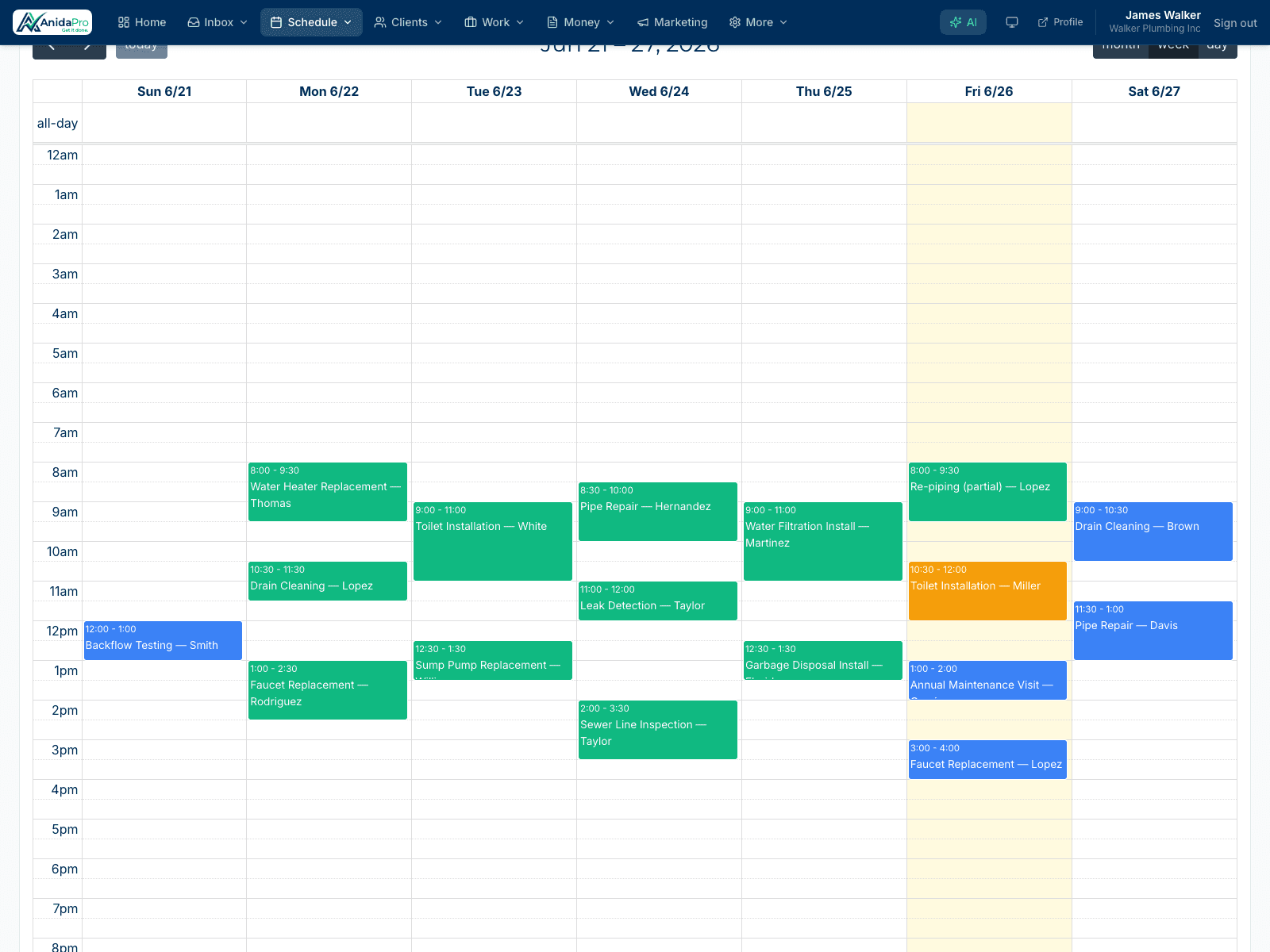
A full calendar view of every job, synced with Google Calendar and visible to your whole crew — so the right person is at the right place at the right time.
14-day free trial · No credit card required · Cancel anytime
Why field service pros love it
Your whole week at a glance
See every scheduled job by day, week, or team member so you can fill gaps and avoid overbooking.
Two-way Google Calendar sync
Jobs flow to and from Google Calendar automatically, so your business and personal schedules never collide.
Keep the crew aligned
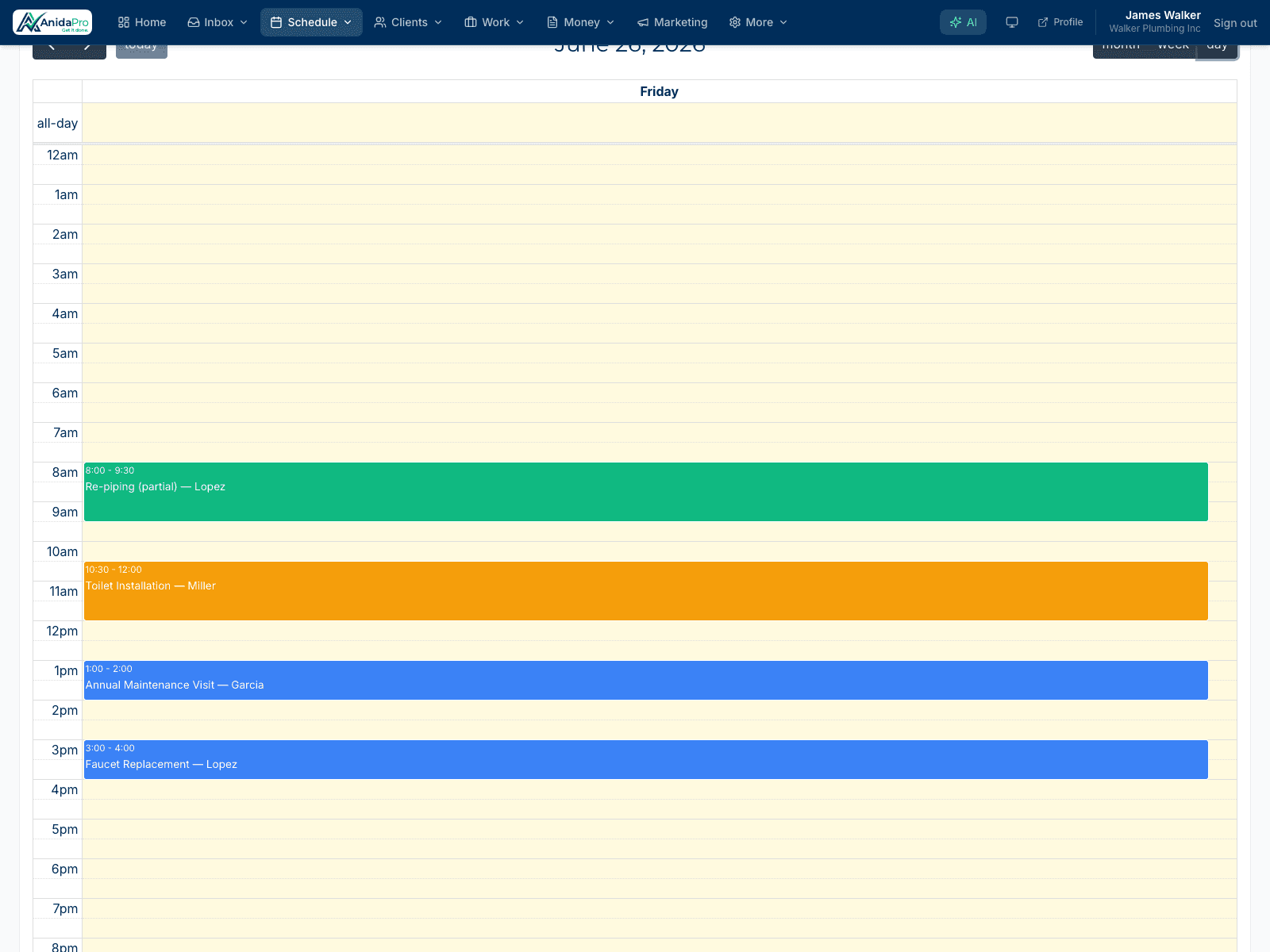
Everyone sees the same up-to-date schedule, so there’s no confusion about who’s doing what or where.
Drag, drop, done
Reschedule a job by dragging it to a new slot. The calendar updates instantly for the whole team — no phone calls, no double-entry.
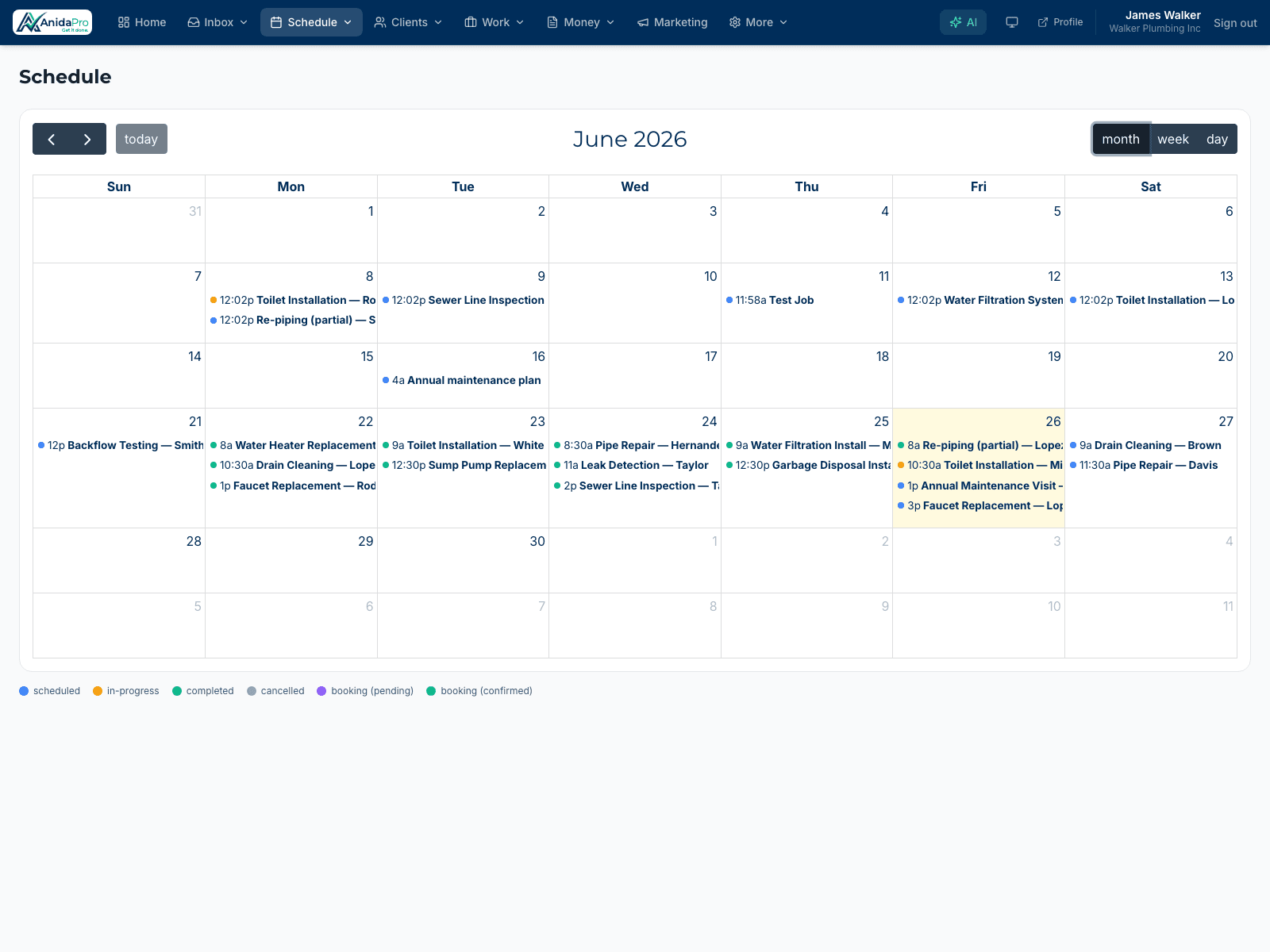
Sync with the calendar you already use
Connect Google Calendar once and AnidaPro keeps both in step, so you manage your day from wherever you already live.
Frequently asked questions
Does AnidaPro sync with Google Calendar?
Yes. AnidaPro offers Google Calendar sync so scheduled jobs appear on your Google Calendar and stay in step automatically.
Can the whole team see the schedule?
Yes. The calendar is shared across your team based on their role, so everyone knows what’s booked and who’s assigned.
Can I reschedule jobs easily?
Yes. Drag a job to a new time slot and the schedule updates instantly for everyone involved.
Explore more features
Ready to run your business in one place?
Join the contractors growing faster with AnidaPro. Start your free 14-day trial today — no credit card required.