Send branded invoices, get paid faster
Invoice in seconds, let clients pay online by card, and send automatic reminders so money lands in your account sooner — and you track every dollar from draft to paid.
14-day free trial · No credit card required · Cancel anytime
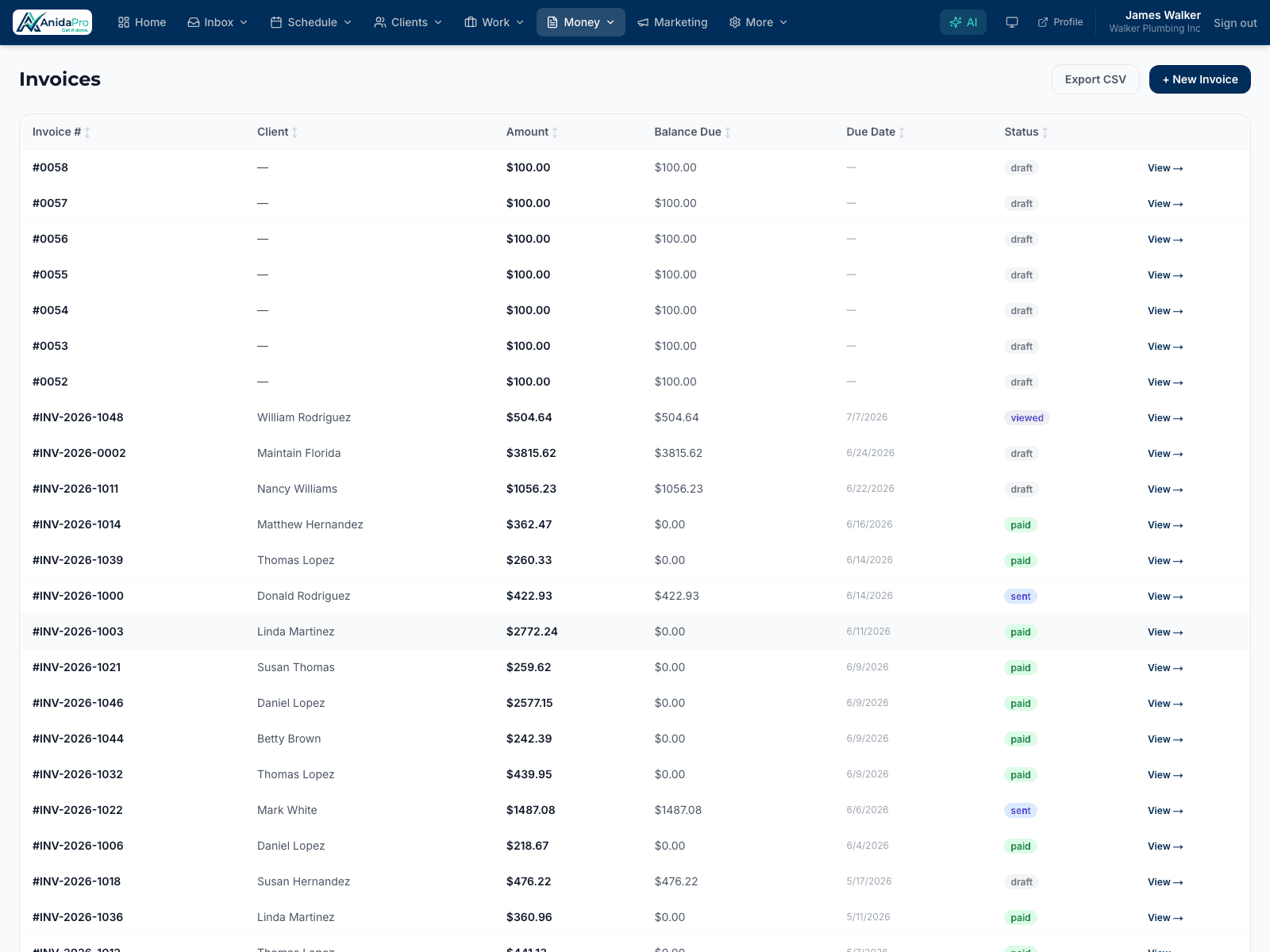
Why field service pros love it
Online card payments
Clients pay invoices online with a tap through secure Stripe-powered links — no checks to chase, no trips to the bank.
Automatic reminders
Polite, automatic payment reminders go out for you, so you collect on overdue invoices without the awkward phone calls.
Deposits & milestone payments
Split any invoice into a deposit and milestones. Clients pay each step online, and the balance tracks itself — partial payments included.
Keep 100% of the invoice
Optionally pass the ~3% card processing fee to clients (where permitted), and surface your financing provider’s link on bigger jobs.
Branded invoices that get taken seriously
Every invoice carries your business name and a clean, professional layout, so clients trust it and pay it promptly.
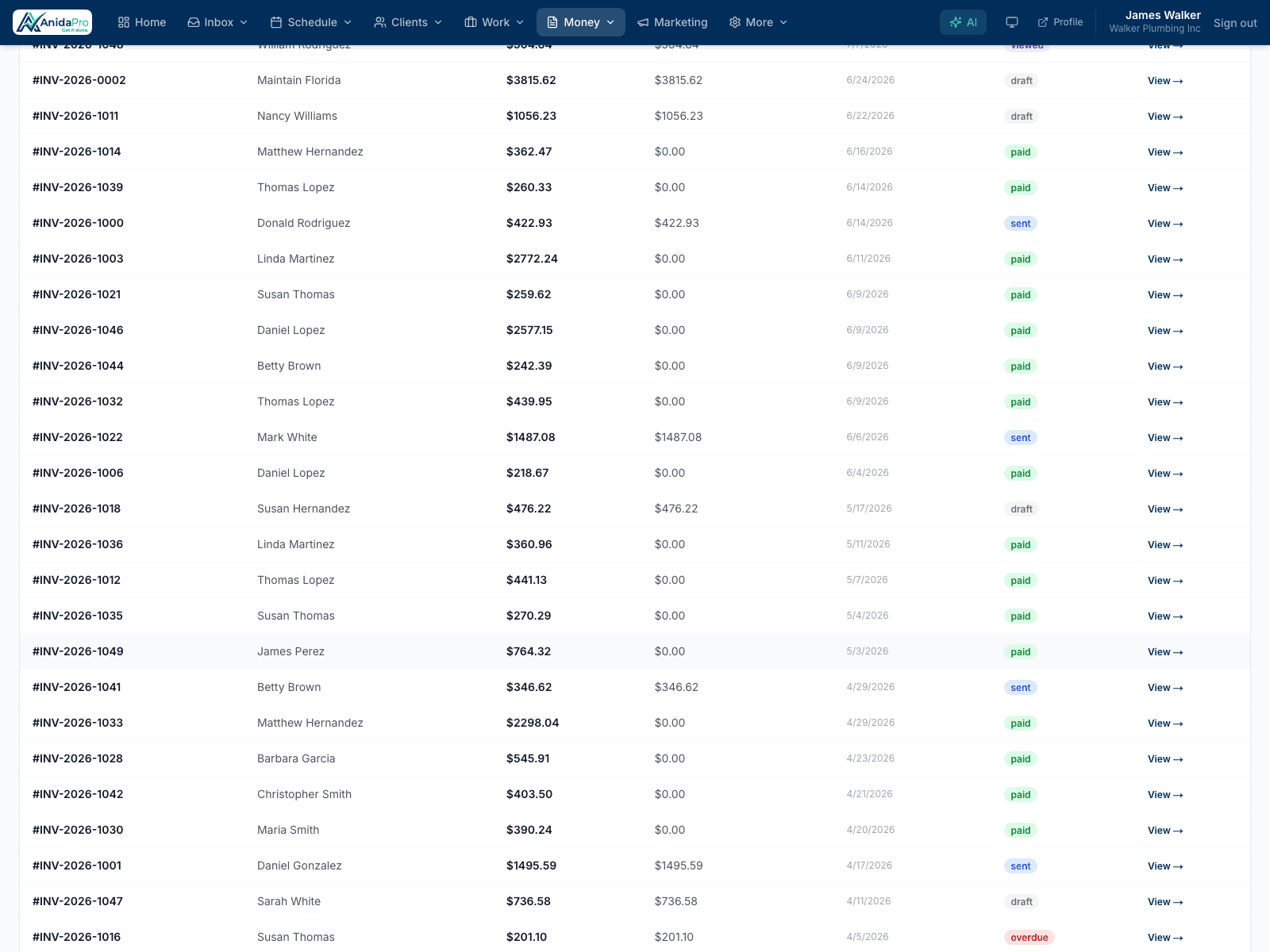
Powered by Stripe
Card payments are processed securely through Stripe and deposited to your connected bank account. AnidaPro never stores card numbers.
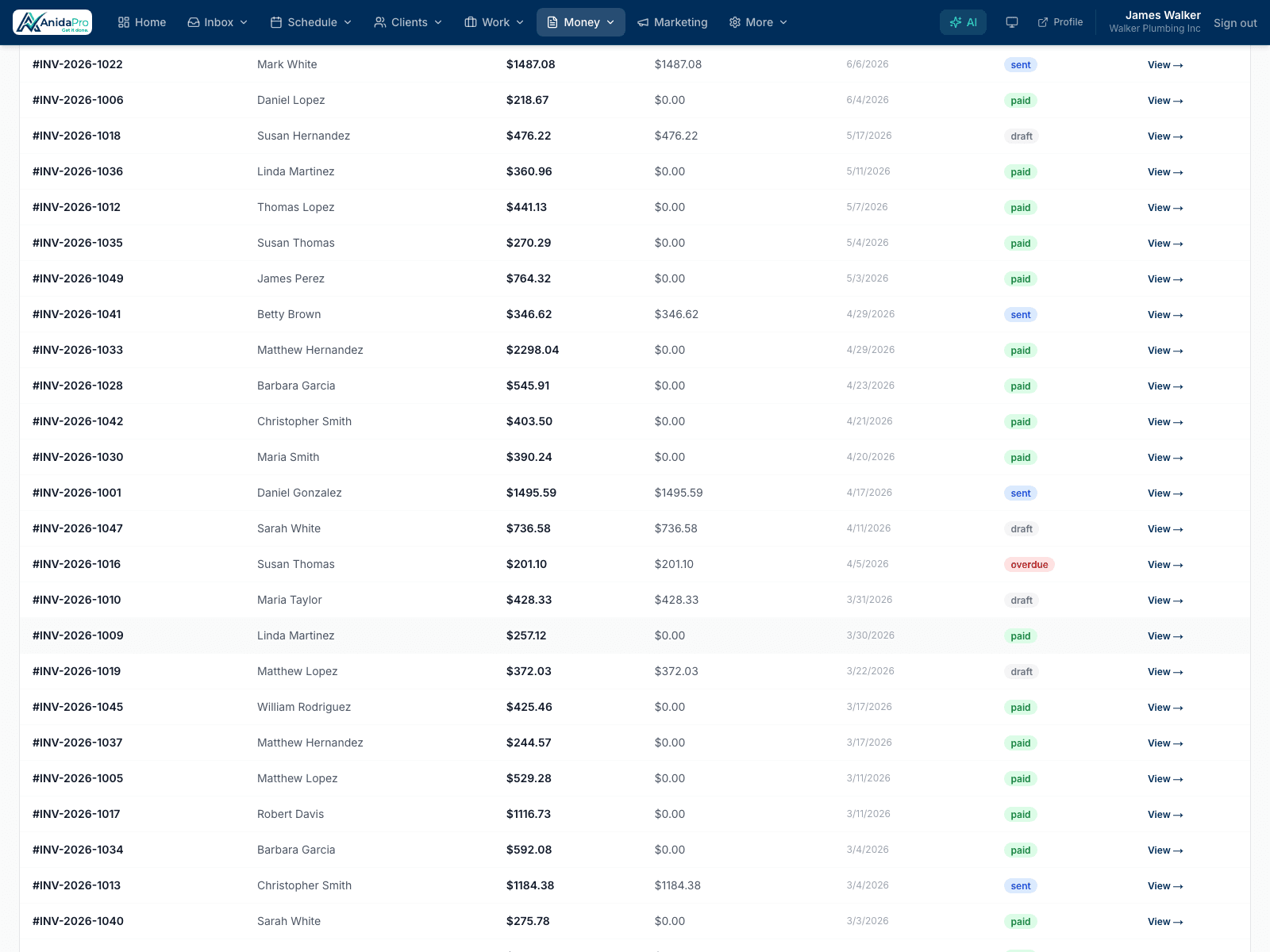
From estimate to paid, seamlessly
Convert an approved estimate into an invoice in one click, send it, and watch it move to paid — your whole money flow in one place.
Frequently asked questions
How do clients pay invoices?
Clients receive a link to a secure payment page where they can pay by card. Payments are processed via Stripe and deposited to your connected bank account.
Does AnidaPro send payment reminders?
Yes. Automatic reminders nudge clients about outstanding invoices so you collect faster without manual follow-up.
Can I track which invoices are paid?
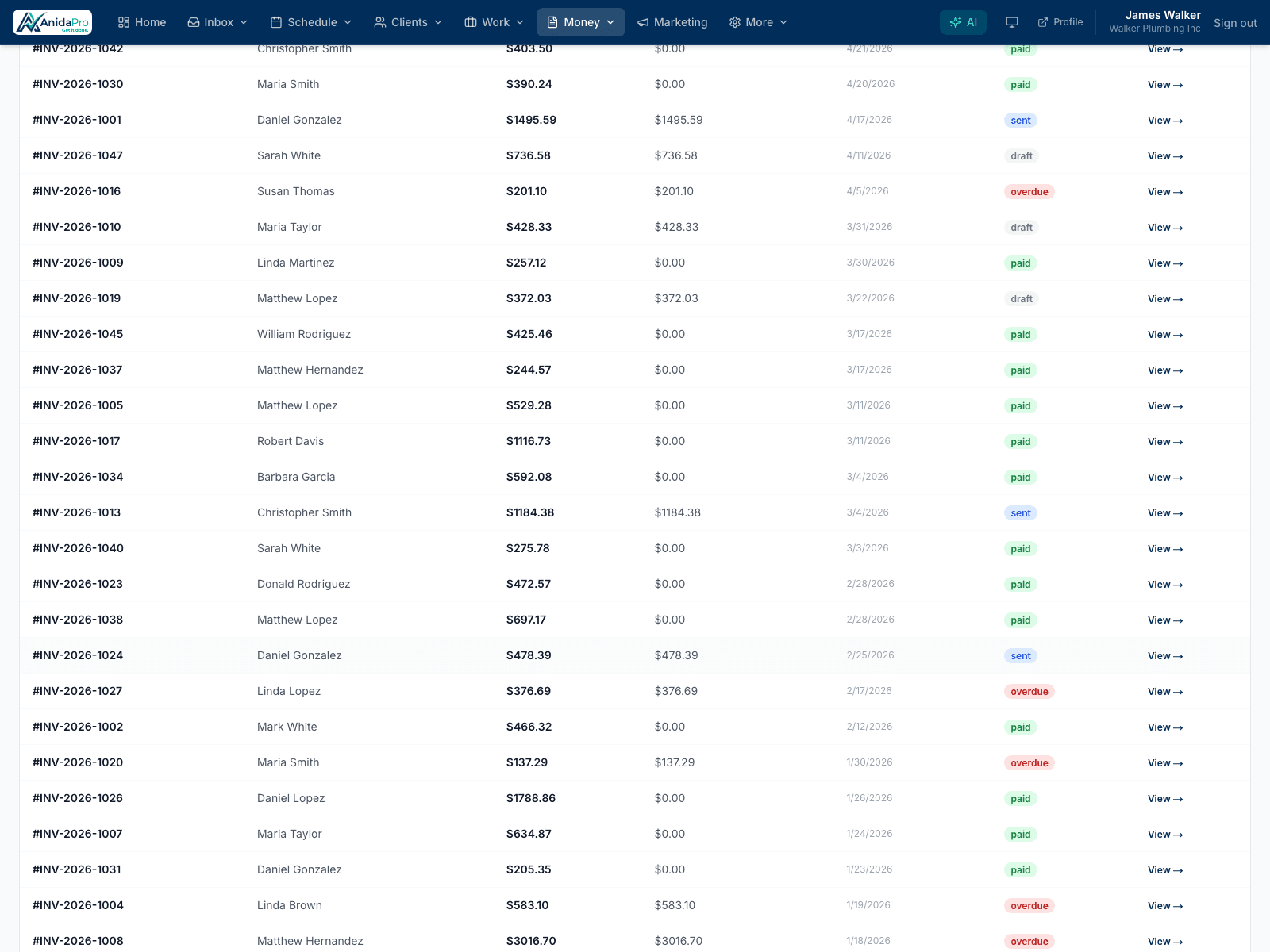
Yes. Every invoice shows its status — draft, sent, viewed, partially paid, or paid — with a full payment history, so you always know exactly what’s outstanding.
Can I collect deposits or split an invoice into milestones?
Yes. Add a payment schedule to any invoice — deposit, progress payments, final balance — and clients pay each milestone from the same payment link.
Can I pass card processing fees to my clients?
Yes, where card-network rules and state law allow it. Turn it on in Settings and online card payments include the fee so you net the full invoice amount.
Can I offer financing to my clients?
Yes. Add your financing provider’s application link (Wisetack, Hearth, GreenSky…) and AnidaPro shows a “Financing available” button on estimates, invoices, and payment pages.
Ready to run your business in one place?
Join the contractors growing faster with AnidaPro. Start your free 14-day trial today — no credit card required.